

Every Simbase SIM is in one of two states at any given moment: Enabled or Disabled. The state controls whether the SIM can connect to a network and whether the daily active fee is charged. This article covers what each state means, how to switch a SIM (single or bulk), and the one thing to do before disabling a SIM that's currently in a device.
The two states
| State | Connectivity | Daily active fee | Reversible |
|---|---|---|---|
Enabled | SIM can attach and pass traffic | Charged (except for Green profile SIMs) | Yes, disable at any time |
Disabled | SIM cannot attach; no traffic passes | Not charged for any full calendar day the SIM stays disabled (00:00–24:00 UTC) | Yes, re-enable at any time |
Enabled
Disabled
Disable a single SIM
Sign in to dashboard.simbase.com.
Click SIM cards in the left navigation.
Click the SIM you want to disable.
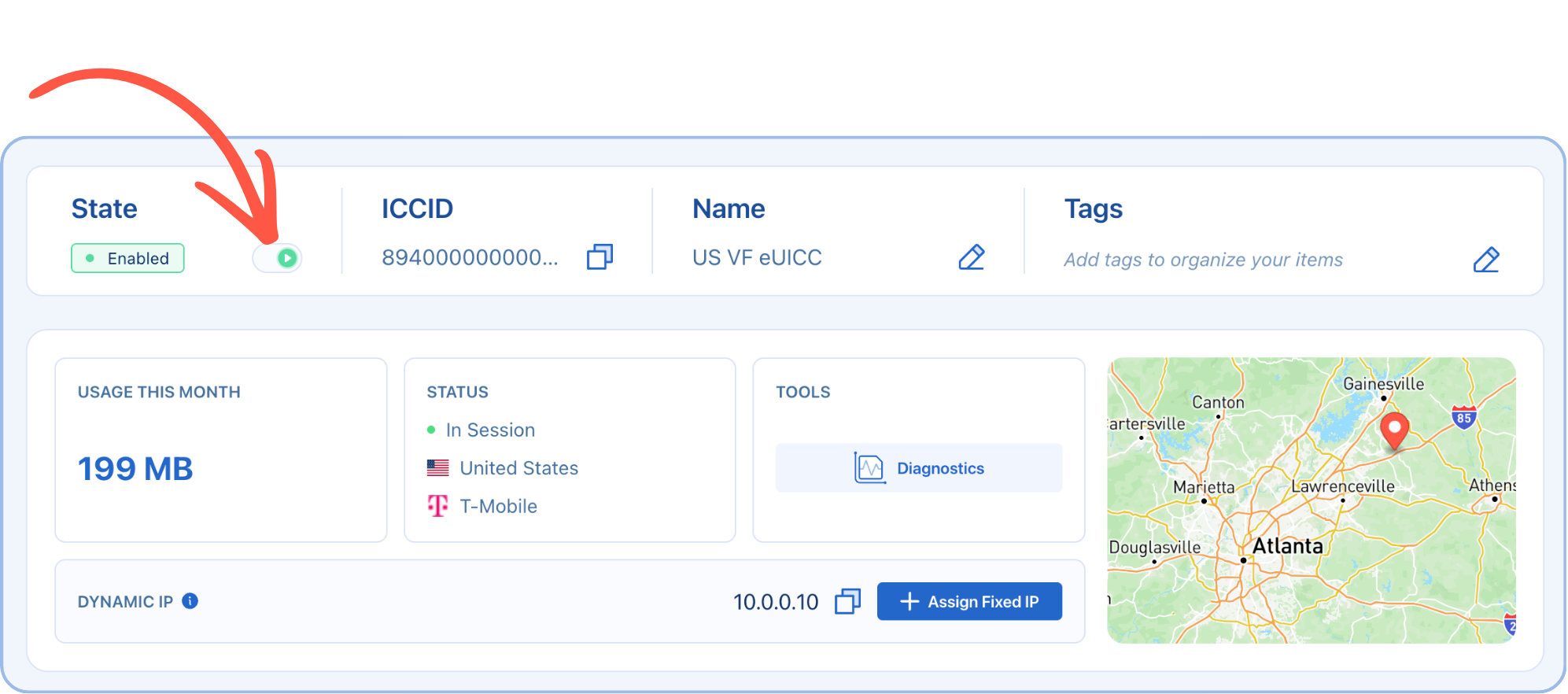
In the State field, toggle the switch to Disabled.
The SIM is now disabled and won't be able to attach to any network until you re-enable it.
Disable SIMs in bulk
Sign in to the dashboard and open SIM cards.
Use filters, tags, or search to narrow the list to the SIMs you want.
Check the box next to each SIM (or the master checkbox at the top to select all visible).
In the action bar that appears, click Disable (or Enable to do the reverse).
Bulk actions apply to every SIM you selected. They all change state together.
Re-enabling: The same steps in reverse.
Single SIM: toggle the switch from Disabled to Enabled.
Bulk: select multiple disabled SIMs and click Enable.
When a SIM is re-enabled:
The daily active fee resumes from that day.
The SIM can attach as soon as the device powers on (give it 30–60 seconds for the registration to complete).
The plan attached to the SIM is unchanged. Re-enabling doesn't reset plan-level counters or quotas.
Disable vs other "stop the SIM" features
Simbase has three different mechanisms that can take a SIM offline. They serve different purposes:
| Feature | When it triggers | Auto-resume? | Use case |
|---|---|---|---|
Manual disable (this article) | You toggle the switch | No, manual re-enable | Planned pauses, end-of-life devices, fleet management |
Auto-disable | Calendar end-of-month (Green profile only) | No, manual re-enable | Avoid rolling into the next billing month |
Usage limits | Data or SMS cap exceeded | Optional monthly reset | Cost control per SIM |
Manual disable (this article)
Auto-disable
Usage limits
See Auto-disable and Usage limits for more options.
Common questions
No. A disabled SIM stays registered to your account, keeps its plan, and can be re-enabled at any time. If you're not sure whether you'll use a SIM again, disable it rather than delete it.
Two likely causes: (1) the SIM was banned by the network from repeated registration attempts while disabled (see the warning above), or (2) the account balance has reached zero. See Set up billing. Contact support if neither applies.
Yes, through the bulk action. If you need to script it across many thousands, use the API.
Only full calendar days count. The fee is waived for any day the SIM is disabled from 00:00 to 24:00 UTC, so disabling at 11pm UTC still incurs that day's fee. Disable before midnight UTC to skip the following day.
Related
Auto-disable — automatic month-end disable for Green profile SIMs
Usage limits — automatic disable on cap exceeded
Theft protection — IMEI lock to prevent unauthorized use
Set up billing — what happens at zero balance


© 2026 Simbase. All rights reserved.